
Verdict
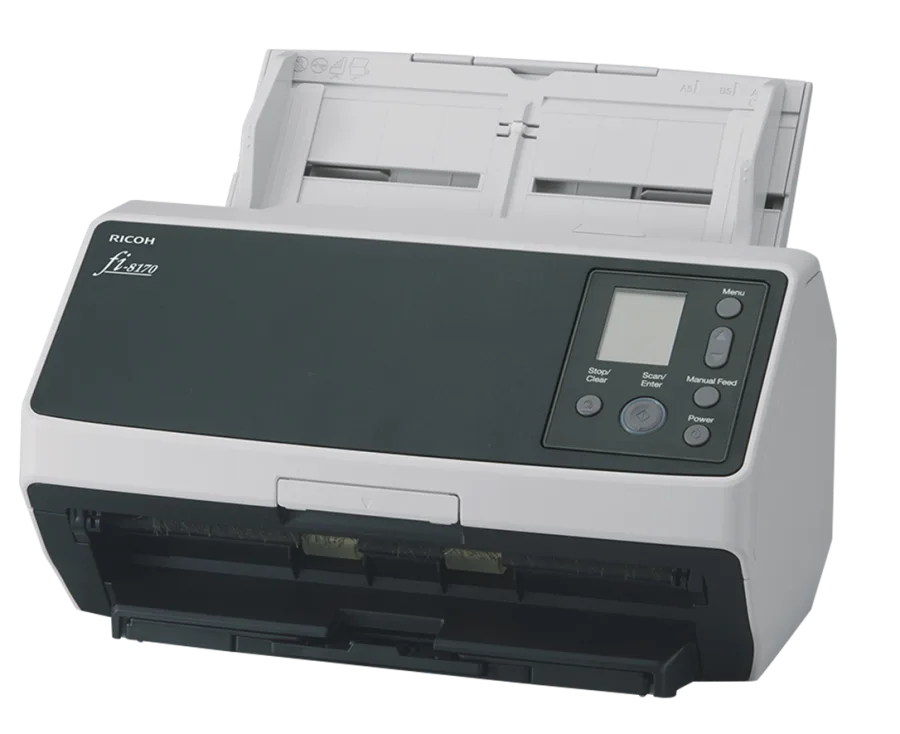
Buy the fi-8170 when front-and-back capture is already slowing a proven listing operation. The fi-8040 gives up published speed and feeder capacity in exchange for a touch screen and DirectScan workflow. Neither scanner makes an unprofitable card worth listing, and neither removes human review.
Check the fi-8170 price (paid link)Check fi-8040 options (paid link)
fi-8170 vs fi-8040 specifications
| Feature | Ricoh fi-8170 | Ricoh fi-8040 |
|---|---|---|
| Published speed | 70 ppm / 140 ipm at 200 or 300 dpi | 40 ppm / 80 ipm at 200 or 300 dpi |
| Duplex | Yes, two CIS sensors | Yes, two CIS sensors |
| Optical resolution | 600 dpi | 600 dpi |
| Published ADF capacity | 100 document sheets | 50 document sheets |
| Published plastic-card thickness | Up to 1.4 mm | Up to 0.76 mm |
| Connection | Ethernet and USB | Ethernet and USB |
| Interface emphasis | High-volume desktop workflow | 4.3-inch touch screen and DirectScan |
| Best fit in a card operation | Capture throughput is already the bottleneck | Moderate volume and shared or PC-less destinations matter |
The ADF numbers are document-sheet capacities, not instructions to load 100 or 50 cards. Ricoh’s separate trading-card guidance says the fi-8170 can continuously feed up to 10 unembossed cards.
Where the fi-8170 earns the difference
The published speed difference is 30 pages per minute and 60 images per minute at 200 or 300 dpi. That matters only when capture is the actual constraint. A seller who still needs to source, identify, price, review or store every card may simply move the backlog from the camera to another stage.
The fi-8170 also publishes a wider plastic-card thickness limit. That specification should not be treated as permission to feed every protected collectible. Ricoh’s card guidance favors raw cards and warns that some holders or sleeves can be marked by rollers.
Where the fi-8040 makes more sense
The fi-8040 publishes 40 ppm, duplex capture, 600 dpi optical resolution and a 50-sheet document feeder. It also provides a 4.3-inch touch screen and DirectScan, which can send scans to preset network destinations without a PC. For a shared workspace or moderate volume, those workflow features may matter more than the fi-8170’s higher maximum speed.
We have not tested the fi-8040 with our inventory. The external video below shows another card seller’s review. Use it as a demonstration, not as proof that every card type or condition is safe.
External video by JMac Sports Cards. YouTube loads only after you press play.
Make the decision from labor payback
Time the complete manual workflow and estimate how many appropriate cards you can realistically process each month. Do not use the published pages-per-minute number as if it were a finished eBay listing. Preparation, file pairing, identification, correction and storage still take time.
Frequently asked questions
Is the fi-8170 faster?
Yes. Ricoh publishes 70 ppm and 140 ipm for the fi-8170, compared with 40 ppm and 80 ipm for the fi-8040 at 200 or 300 dpi.
Which has the larger feeder?
The fi-8170 publishes a 100-sheet document ADF and the fi-8040 publishes 50 sheets. Trading cards use separate handling guidance; do not substitute the document capacity for a card-batch recommendation.
Which should a new seller buy?
Usually neither at first. Prove sourcing, per-card profit, review, storage and shipping with a phone or existing scanner. Upgrade when capture is visibly limiting a repeatable operation.